

uitly review link management qr code platform Managing online links has become an important part of digital marketing. Businesses, content creators, freelancers, and marketers share links across websites, social media platforms, emails, advertisements, and printed materials every day.
However, managing all these links can become complicated. Long URLs look unattractive, tracking campaign performance requires additional effort, and creating QR codes often means using separate online tools.
A centralized link management solution can make these tasks easier.
This is where Uitly becomes interesting. It is designed to bring several digital marketing tools together, including URL shortening, QR code generation, link analytics, bio pages, and smart linking.
But does it provide enough value for everyday users? Can small businesses benefit from its features? And is it a good alternative to traditional URL shorteners?
In this detailed Uitly Review, we will examine its main features, pricing considerations, advantages, disadvantages, security, practical applications, and potential alternatives.
What Is Uitly?
Uitly is an online link management platform that helps users create, customize, organize, and monitor digital links.
Rather than relying on multiple services for different link-related tasks, users can explore several tools through one centralized platform.
Its advertised functionality includes:
- URL shortening and link customization.
- Dynamic QR code generation.
- Branded short links.
- Link performance analytics.
- Bio link pages.
- Smart deep linking.
- Campaign organization.
- Custom domains.
- Team management.
- Marketing integrations.
These features are designed to support different types of online activities, from sharing a simple website URL to managing promotional campaigns.
For example, a small online store might use short links in its social media posts, QR codes on product packaging, and analytics to understand which campaigns receive more engagement.
Similarly, a content creator could use a bio page to organize links to different social media accounts, videos, products, and websites.
The main idea is convenience: users can manage multiple types of links without constantly switching between different tools.
You can learn more through the official Uitly website.
How Does Uitly Work?
Uitly works as a centralized environment for managing digital destinations.
Users create links or QR codes, customize their appearance where supported, distribute them through different channels, and review available performance information.
The general process looks like this:
- Create an account on the platform.
- Add the original website URL.
- Generate a shortened or customized link.
- Create a QR code when needed.
- Share the link online or offline.
- Review available analytics.
- Organize links according to campaigns or projects.
The platform is particularly relevant to people who regularly distribute links through different marketing channels.
For example, imagine a US-based clothing store launching a new collection.
The marketing team could create a branded short link for Instagram, a separate link for its email newsletter, and a QR code for printed promotional materials.
By keeping these resources organized, the business can make its marketing activities easier to manage.
The actual tracking capabilities depend on the available account features and configuration.
Main Features of uitly review link management qr code platform
Understanding the features is essential when deciding whether a link management platform is worth using.
Let’s examine the major tools and how they may help different users.
1. URL Shortener
Rebrandly’s AI URL Metadata Generator
URL shortening is one of the most useful features of Uitly.
Many websites generate long URLs containing tracking information, product identifiers, and additional parameters.
These addresses can look complicated when shared through social media, text messages, and email campaigns.
A URL shortener converts a long web address into a shorter version that is easier to share.
For example:
Original URL:
Shortened URL:
The example above is illustrative rather than an actual Uitly-generated link.
Shorter URLs can improve the appearance of promotional messages and make links easier to recognize.
Uitly also promotes customization options that may include:
- Custom URL aliases.
- Branded domains.
- Password-protected links.
- Tracking parameters.
- Smart redirects.
- Link analytics.
These capabilities can be useful for marketers who want more control over their shared URLs.
Best for: Businesses, social media managers, affiliate marketers, and anyone who regularly shares long website addresses.
2. QR Code Generator
Free Custom QR Code Generator – Logo, Colors & Brand
QR codes have become a common part of modern shopping, hospitality, advertising, and customer communication.
People can scan them using their smartphones to visit websites, access menus, view product details, and register for events.
Uitly offers QR code generation as part of its link management functionality.
Users can explore customization options to make QR codes more visually appealing and suitable for different marketing materials.
Potential applications include:
- Restaurant menus.
- Business cards.
- Product packaging.
- Event posters.
- Promotional flyers.
- Digital advertisements.
- Retail displays.
- Customer support information.
One important feature to understand is the difference between static and dynamic QR codes.
A static QR code generally stores its destination directly. Once printed, changing the destination usually requires creating and distributing a replacement code.
A dynamic QR code works through a managed redirect. This can allow users to change the destination without replacing the printed QR code.
For example, a restaurant could print one QR code on its tables and update the menu destination whenever new items become available.
This can reduce printing costs and simplify marketing management.
Before using QR codes commercially, check the platform’s current scan limits, editing options, and subscription requirements.
Best for: Restaurants, retailers, event organizers, marketers, and businesses using offline promotional materials.
3. Branded Short Links
Brand recognition is important when sharing promotional content online.
People may be more comfortable clicking a recognizable business domain than an unfamiliar collection of random characters.
Uitly promotes branded domain functionality that allows users to customize shortened links.
For example, a fictional company called GreenStyle might use:
links.greenstyle.com/new-arrivals
This looks more connected to the business than a generic shortened URL.
Branded links can be helpful in:
- Marketing emails.
- Social media captions.
- SMS campaigns.
- Digital advertisements.
- Printed brochures.
- Customer communications.
They can also make it easier for businesses to maintain consistent branding across different channels.
However, custom domain configuration may require access to DNS records.
Beginners should review the setup instructions before connecting an existing business domain.
4. Link Analytics and Tracking
Introducing Bitly Analytics: Unlock Simply Insightful Data
Creating and sharing links is only one part of digital marketing.
Understanding how people interact with those links is equally important.
Uitly promotes analytics features designed to help users understand link performance.
Depending on the available reporting tools, users may be able to examine:
- Total clicks.
- Visitor locations.
- Device categories.
- Referral sources.
- Campaign performance.
- Engagement trends.
These insights can help marketers understand which channels are attracting attention.
Consider a business promoting the same product through Instagram, email marketing, and printed flyers.
By using different trackable links, the business can compare engagement across those channels.
If one campaign consistently attracts more clicks, the marketing team can investigate why and use that information when planning future promotions.
However, clicks do not automatically represent purchases or successful conversions.
Businesses that need revenue attribution should combine link analytics with appropriate website analytics and conversion tracking.
5. Bio Link Pages
How to Create a Link in Bio Page in 5 Minutes
Social media creators often have several important destinations to share.
These may include their online store, YouTube channel, blog, booking page, newsletter, and other profiles.
Sharing every link separately can become inconvenient.
A bio link page solves this problem by collecting multiple destinations on one central page.
Uitly promotes bio page functionality that can help users organize and share these resources.
For example, a fitness influencer could create a page containing:
- Personal training services.
- Workout videos.
- Nutrition guides.
- Coaching packages.
- Social media accounts.
A small business could use a similar page to display its website, product catalog, customer support, and promotional offers.
The main advantage is convenience.
Instead of changing a profile link every time a new campaign starts, users can maintain one central destination and update the links inside it.
6. Smart Deep Linking
Smart deep linking is particularly relevant for mobile marketing.
A standard URL usually opens a website through a browser.
A deep link can help direct visitors to relevant content within a supported mobile application.
For example, a musician promoting a new release might want listeners to access the song through a music application instead of visiting a general webpage.
Similarly, an online retailer may want customers to open a specific product page inside its mobile application.
Uitly advertises deep linking functionality for various popular applications and custom app destinations.
Potential applications include:
- Music promotions.
- Mobile shopping.
- Social media campaigns.
- App downloads.
- Content distribution.
- Customer engagement.
This can reduce unnecessary steps between discovering a link and reaching the intended destination.
However, deep linking behavior depends on application support, device settings, and the destination configuration.
7. Campaign Management
Managing several marketing links without proper organization can quickly become frustrating.
Imagine running separate campaigns for a holiday sale, a new product launch, an email newsletter, and an influencer partnership.
If all the links are stored randomly, finding the correct destination becomes difficult.
Uitly promotes campaign organization features that help users manage related link resources.
Users can organize their marketing activities according to different campaigns and projects.
This may help teams:
- Locate promotional links.
- Separate marketing activities.
- Monitor campaign engagement.
- Maintain consistent naming.
- Reduce duplicated work.
For agencies and businesses managing multiple clients, organized campaign management can be particularly valuable.
8. Team Collaboration
Team collaboration is another important consideration for growing businesses.
Marketing responsibilities are often divided between different employees.
For example:
- A marketing manager handles campaign planning.
- A social media manager creates promotional links.
- A designer prepares QR code graphics.
- An analyst reviews performance information.
Uitly advertises team management capabilities designed to support collaborative workflows.
Role-based access can help organize responsibilities and control who can manage specific resources.
Before choosing a subscription, businesses should check the number of users, workspace limits, and permission options.
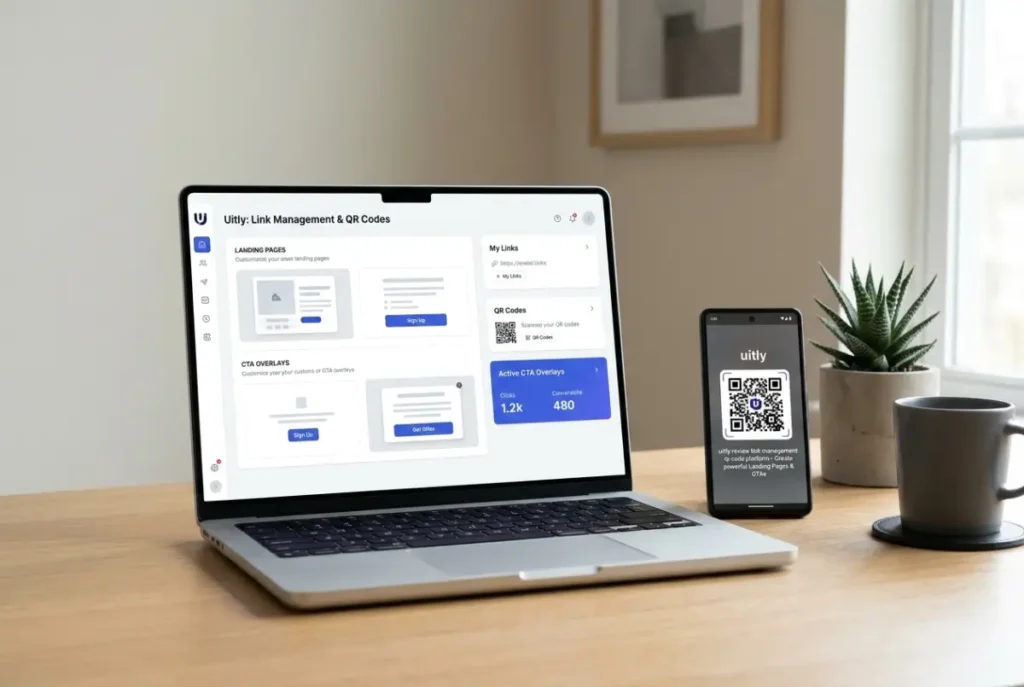
9. Landing Pages and CTA Overlays
Uitly also promotes additional marketing functionality, including custom landing pages and call-to-action overlays.
Landing pages are useful when businesses want visitors to focus on one specific offer.
For example, a company launching a new service could create a dedicated page explaining the benefits and encouraging visitors to request a quote.
CTA overlays may provide additional ways to display promotional messages or encourage visitor engagement.
These tools can support marketing campaigns by making the customer journey more focused.
However, users should verify which customization and tracking options are currently available.
10. Integrations and Tracking Pixels
Modern marketing often involves multiple services.
Businesses may use analytics software, advertising platforms, email marketing systems, and communication applications.
Uitly promotes integration capabilities and tracking tools intended to connect link activity with external services.
Its published feature descriptions mention tools such as Google Tag Manager, Facebook-related tracking, Slack notifications, and webhook functionality.
These integrations may help businesses coordinate different marketing activities.
However, integration availability and setup requirements should be checked before purchasing a subscription.
Uitly Pricing and Plans
Pricing is an important part of choosing any online software.
A platform may offer excellent features, but its subscription cost should make sense for the value it provides.
Uitly’s official help documentation describes a free package and paid upgrades.
The exact pricing and feature limits should be checked directly on the official website because subscription information can change.
Here are the main factors to consider:
| Pricing factor | What users should check |
|---|---|
| Free package | Included tools and usage limits |
| URL shortening | Number of links allowed |
| QR codes | Dynamic features and scan limits |
| Analytics | Available reports |
| Custom domains | Domain connection requirements |
| Bio pages | Number of pages and customization |
| Team management | User and workspace limits |
| Integrations | Available third-party connections |
| Premium plans | Monthly and annual billing |
Is the Free Plan Enough?
For beginners, the free package may be a reasonable starting point.
Someone who only wants to experiment with short links or basic QR code functionality may not need an advanced subscription immediately.
However, professional marketers may require additional features such as branded domains, advanced analytics, or team collaboration.
The best approach is to test the free package first and upgrade only when a specific requirement makes the additional cost worthwhile.
You can review the Uitly subscription documentation for information about billing and subscriptions.
Advantages of Uitly
There are several reasons why users may want to explore this platform.
1. Multiple Marketing Tools Together
One of its biggest advantages is the combination of URL shortening, QR code generation, and bio pages.
This can reduce the need to maintain several separate accounts.
2. Cleaner and More Professional Links
Short URLs can make promotional content easier to read and share.
Custom domains can also help businesses maintain a consistent brand identity.
3. Useful QR Code Functionality
QR codes connect physical marketing materials with online destinations.
This is particularly useful for restaurants, retail stores, events, and local businesses.
4. Performance Insights
Link analytics can help users understand which campaigns receive engagement.
This information can support more informed marketing decisions.
5. Helpful for Content Creators
Bio pages allow creators to organize multiple destinations under one profile link.
This can make it easier for followers to discover different types of content.
6. Campaign Organization
Grouping links by project or campaign can make marketing workflows easier to manage.
7. Potential for Team Collaboration
Businesses with multiple marketing employees may benefit from shared access and permission controls.
Disadvantages of Uitly
Although the platform offers several interesting features, there are also some points to consider.
1. Advanced Features May Cost Extra
The free package may not include every feature promoted by the platform.
Users should check premium subscription requirements before depending on advanced functionality.
2. Learning Curve for Beginners
Basic link shortening is simple, but understanding tracking parameters, custom domains, and integrations may require additional time.
3. Analytics Limitations
Link analytics may not provide every detail required by large marketing departments.
Businesses that need advanced conversion attribution may require additional software.
4. Third-Party Service Dependency
Shortened URLs and dynamic QR codes depend on the service managing their redirects.
Service interruptions or account problems could affect important marketing links.
Businesses should maintain backup copies of their original URLs.
5. Integration Configuration
Advanced integrations may require technical knowledge.
Users who only need basic link shortening may find some features unnecessary.
Is Uitly Safe and Legitimate?
Security should always be considered when using link management software.
Shortened URLs can hide the original destination, which makes them convenient but can also create opportunities for malicious links.
Uitly promotes security-related functionality, including password-protected links and a reporting process for suspicious URLs.
Still, users should follow basic online safety practices:
- Use secure HTTPS destinations.
- Avoid shortening suspicious websites.
- Protect account login details.
- Test QR codes before distributing them.
- Avoid sharing confidential information through public links.
- Review privacy and security documentation.
- Check how tracking information is collected and used.
A legitimate link management service cannot guarantee that every destination shared through its system is safe.
Businesses should also evaluate the platform’s privacy policy, data retention practices, and compliance requirements before using it for customer-facing campaigns.
For US businesses, this is especially important when handling customer information under applicable privacy regulations.
Who Should Use Uitly?
Not every user needs an advanced link management platform.
However, Uitly may be useful for several groups.
Small Business Owners
Small businesses can use short links and QR codes to connect customers with menus, products, websites, and promotional offers.
Digital Marketers
Marketers may benefit from branded URLs, campaign organization, and link analytics.
These tools can make managing multiple promotional channels more convenient.
Social Media Influencers
Creators can use bio pages to organize their content, online stores, and social media destinations.
Freelancers
Freelancers can share portfolios, appointment pages, contact information, and service descriptions through one central location.
Restaurants
Restaurants can use QR codes for menus, promotional offers, and customer information.
Dynamic QR codes may also help reduce the need to replace printed materials.
Marketing Agencies
Agencies managing several client campaigns may find team access and link organization useful.
They should first verify workspace and permission limits.
Event Organizers
QR codes and short links can simplify access to registration pages, event schedules, and digital information.
Uitly vs. Other Link Management Platforms
Before choosing a service, it is worth comparing it with other popular solutions.
The following platforms serve different needs and provide useful alternatives.
Uitly vs. Bitly
Bitly is an established link management service known for URL shortening, branded links, QR codes, and analytics.Visit Bitly
Bitly may be suitable for users who prioritize established link shortening and analytics workflows.
Uitly is worth considering if you want to explore a broader combination of link management, QR codes, and bio pages.
Uitly vs. Linktree
Linktree focuses on creating landing pages that collect multiple links in one location.Visit Linktree
Linktree may be a better choice for creators who mainly need a polished link-in-bio experience.
Uitly offers a wider advertised combination of link management and QR code functionality.
Uitly vs. Rebrandly
Rebrandly launches Strategic Advisory Board, welcomes Google Agency executive Michael Kaplan
Rebrandly focuses on branded URL shortening, custom domains, and link management.Visit Rebrandly
Uitly may be worth exploring for people who want additional tools, including bio pages and QR code generation.
Comparison Table
| Platform | Main focus | Suitable for |
|---|---|---|
| Uitly | Links, QR codes, bio pages | Small businesses and marketers |
| Bitly | Link management and analytics | Marketing teams |
| Linktree | Bio link pages | Creators and influencers |
| Rebrandly | Branded short URLs | Businesses and agencies |
The best platform depends on your budget, required features, and marketing workflow.
How to Get Started With Uitly
Getting started with a link management platform is generally straightforward.
Here is a simple process for beginners.
Step 1: Visit the website
Open the official Uitly website and explore its available tools.
Step 2: Create an account
Register for an account if you want to save and manage your links.
Step 3: Create a short link
Paste your original URL into the link-shortening tool and customize it where supported.
Step 4: Generate a QR code
Choose a destination and create a QR code for online or offline sharing.
Step 5: Build a bio page
Add your most important website and social media destinations to one page.
Step 6: Share your links
Distribute your links through email, social media, websites, or printed materials.
Step 7: Review analytics
Monitor available engagement information and use it to improve your campaigns.
Tips for Getting Better Results
Using the right tools is only part of successful digital marketing.
You also need a consistent strategy.
Here are some useful recommendations:
- Use descriptive URLs: Make short links easy to understand.
- Maintain consistent branding: Use recognizable names and domains.
- Organize your campaigns: Group related links together.
- Test QR codes: Check every code before printing.
- Monitor engagement: Review analytics regularly.
- Keep bio pages simple: Highlight the most important destinations.
- Protect important links: Use available security settings.
- Keep backups: Store original URLs outside the platform.
These small practices can improve link management and reduce avoidable problems.
Frequently Asked Questions (FAQs)
1. What is uitly review link management qr code platform?
Uitly is an online link management platform that offers URL shortening, QR code generation, bio pages, link analytics, and additional marketing tools.
2. Is uitly review link management qr code platform free?
Uitly’s official help documentation describes a free package. Premium upgrades may be necessary for certain advanced features. Check the official website for current pricing and limits.
3. What is Uitly used for?
It is used to create and manage short links, generate QR codes, organize digital destinations, and monitor available link engagement information.
4. Does Uitly offer dynamic QR codes?
The platform advertises dynamic QR code functionality. Dynamic codes can allow users to update a managed destination without replacing the printed code, subject to the available account features.
5. Can I use Uitly for social media marketing?
Yes. Short links and bio pages can help creators and marketers share websites, products, videos, and other digital destinations.
6. Does Uitly support branded domains?
Uitly promotes custom branded domains. Users should check the setup requirements and subscription limitations.
7. Can businesses track link clicks?
The platform advertises link analytics that can provide information about engagement and visitor activity. Available reports depend on the account configuration.
8. Is Uitly suitable for beginners?
Yes, its basic features are accessible concepts for beginners. However, advanced analytics, integrations, and custom domain settings may require additional learning.
9. Can I use Uitly for QR code marketing?
Yes. QR codes can be used on printed advertisements, product packaging, restaurant menus, business cards, and event materials.
10. Is Uitly better than Bitly?
It depends on your needs. Bitly is an established link management option, while Uitly promotes a combination of URL shortening, QR codes, bio pages, and marketing tools.
11. Can freelancers benefit from Uitly?
Freelancers can use short links and bio pages to share portfolios, contact details, booking pages, and service information.
12. Should I choose a free or paid plan?
Start with the free package if it covers your requirements. Consider a paid subscription when you need additional analytics, custom domains, advanced QR code features, or team collaboration.
Final Verdict: Is Uitly Worth It?
uitly review link management qr code platform is worth exploring if you want a centralized solution for managing digital links and QR codes.
Its combination of URL shortening, branded links, QR code generation, bio pages, analytics, and smart linking makes it an interesting option for small businesses, freelancers, content creators, and digital marketers.
The platform’s biggest advantage is convenience. Instead of managing every link-related activity through separate services, users can explore multiple tools in one environment.
However, it is important to evaluate subscription limits, advanced features, security documentation, and integration requirements before making a long-term commitment.
For someone who only needs a basic URL shortener, a simpler free service may be enough. But if you regularly manage marketing links, promotional QR codes, and multiple online destinations, Uitly may offer additional value.

Alex Morgan is a US-based website reviewer who provides honest reviews, practical insights, and helpful recommendations on websites and online services. Alex aims to help readers find reliable platforms and make informed decisions with confidence.